
 English
 中文简体
中文简体 русский
 Español
 عربى
عربى
An adjustable office chair serves as the foundation for a productive and comfortable workspace. Whether you spend eight hours daily at your desk or conduct frequent meetings in a conference room, the chair you select directly impacts your physical well-being, productivity level, and long-term health outcomes. The decision to invest in a quality adjustable office chair extends far beyond aesthetics; it encompasses ergonomic principles, adjustability options, material durability, and long-term value. This comprehensive guide explores the critical factors you should evaluate when selecting an adjustable office chair that aligns with your specific needs, work environment, and budget constraints.
Understanding Height Adjustment Mechanisms
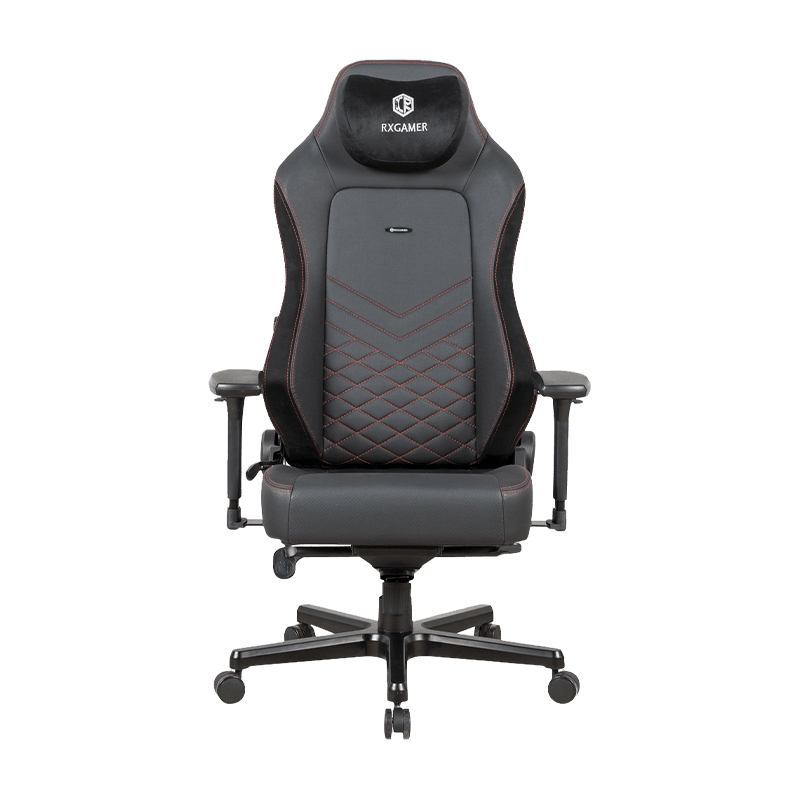
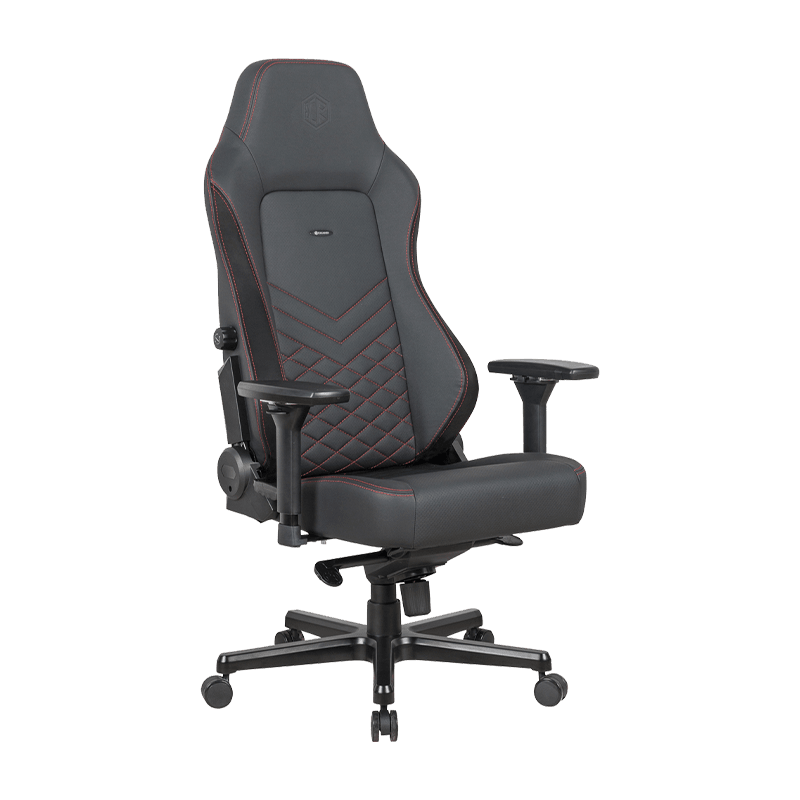
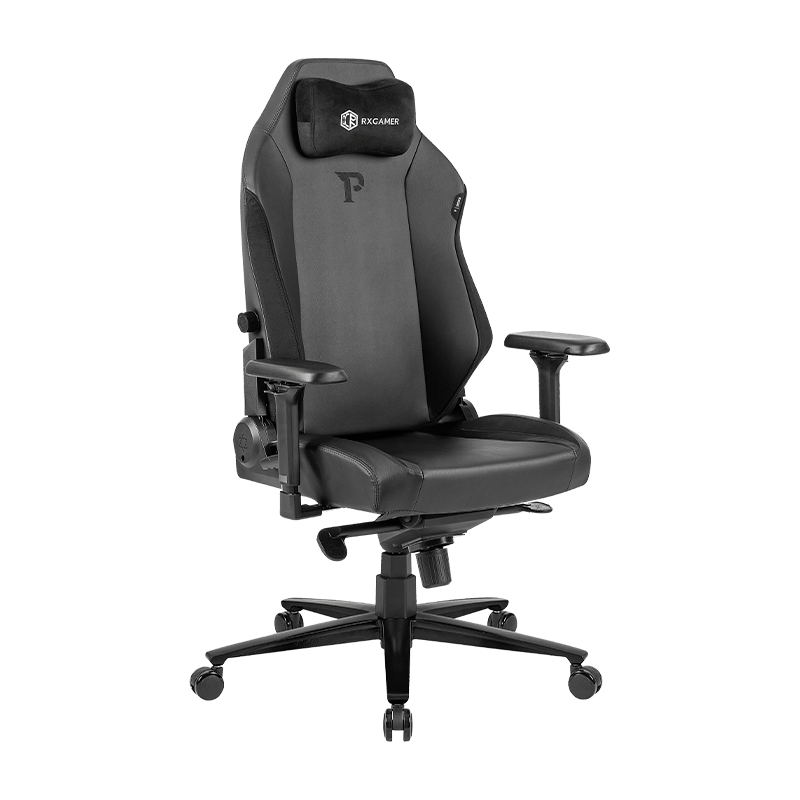
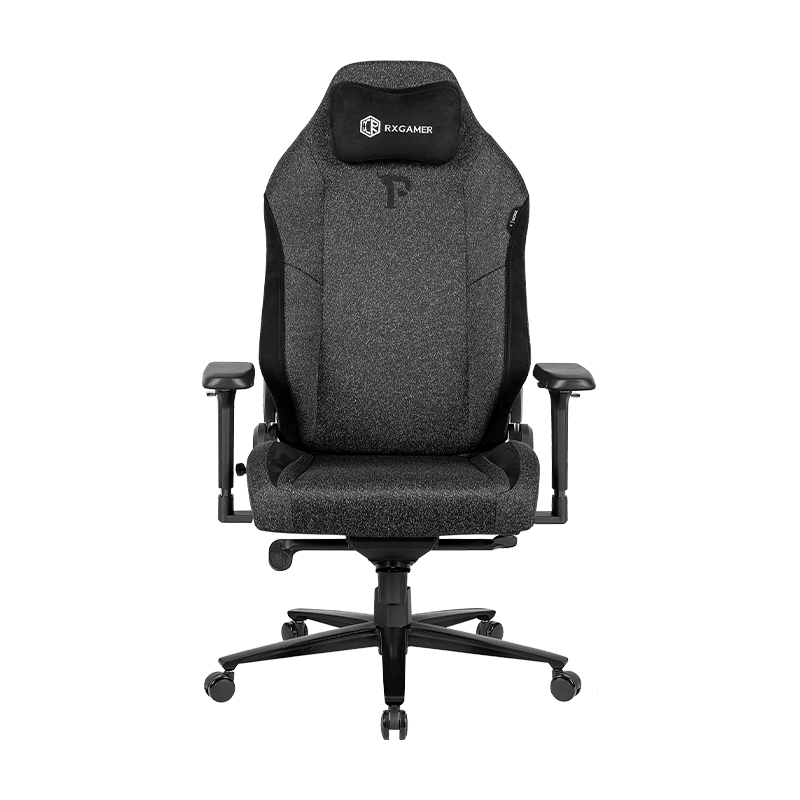
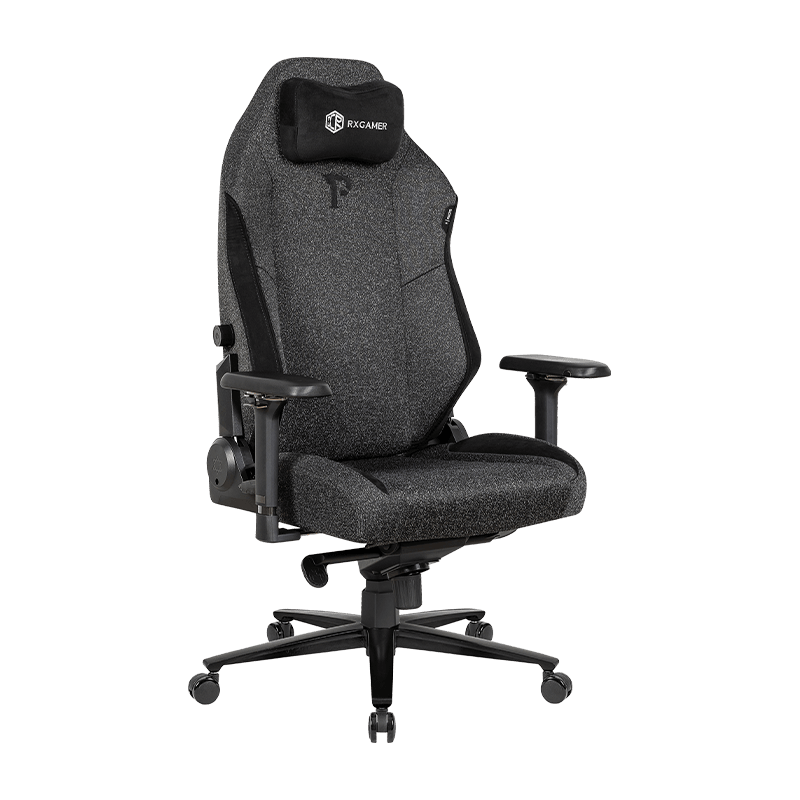
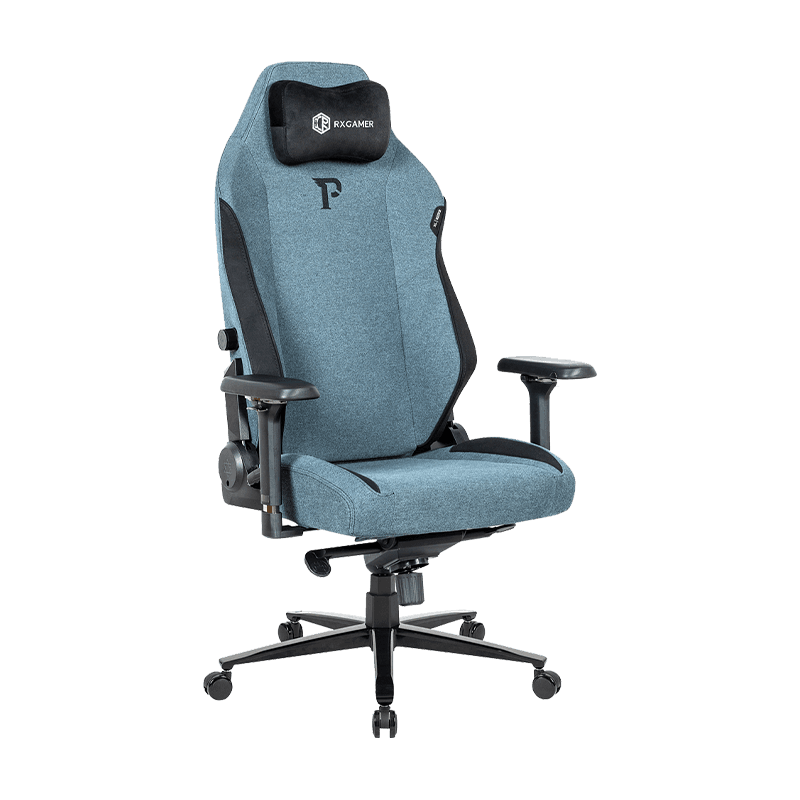
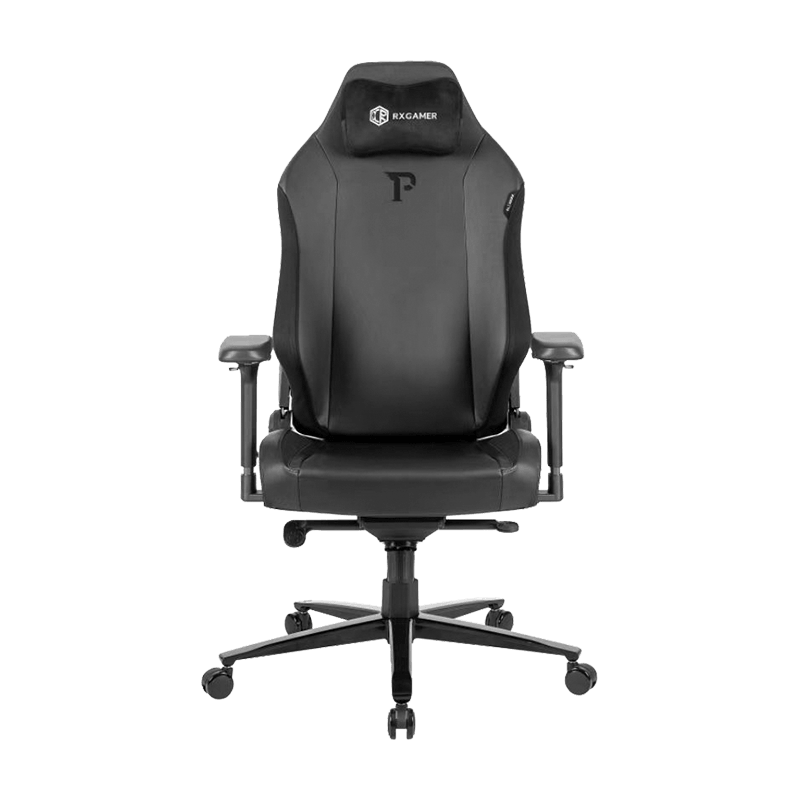
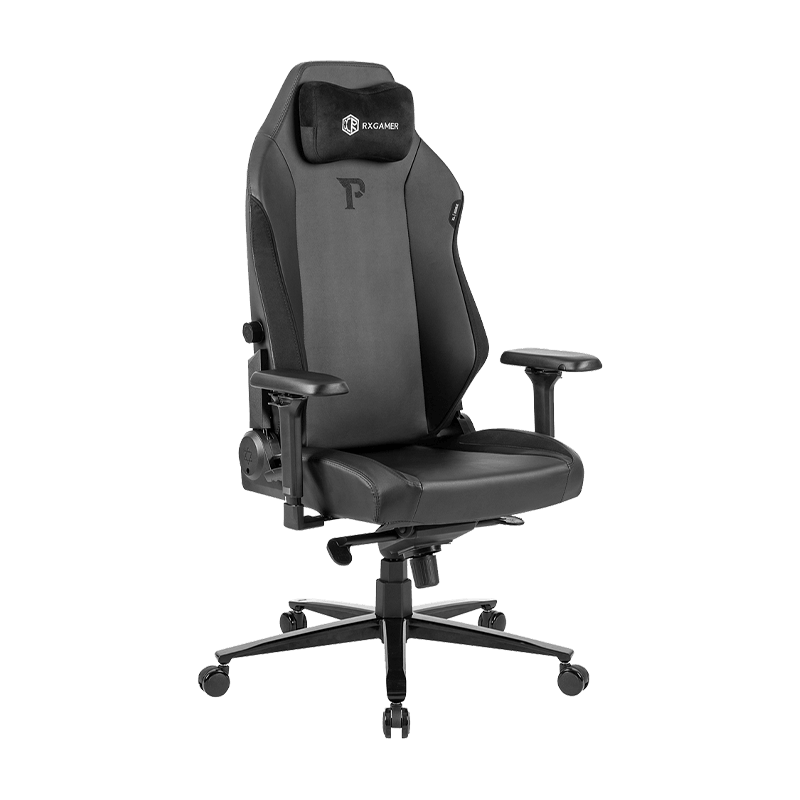
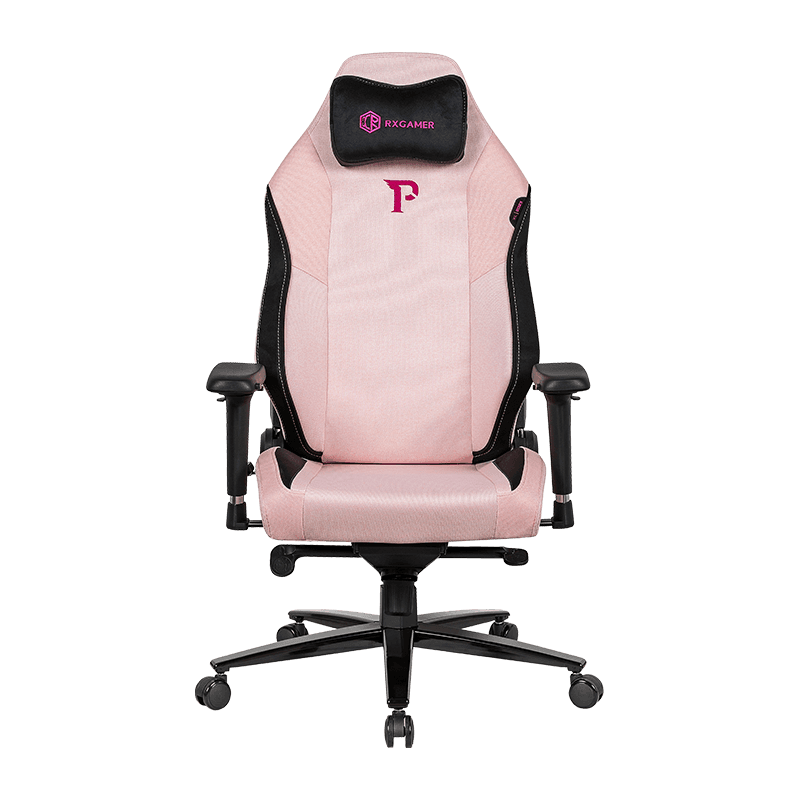
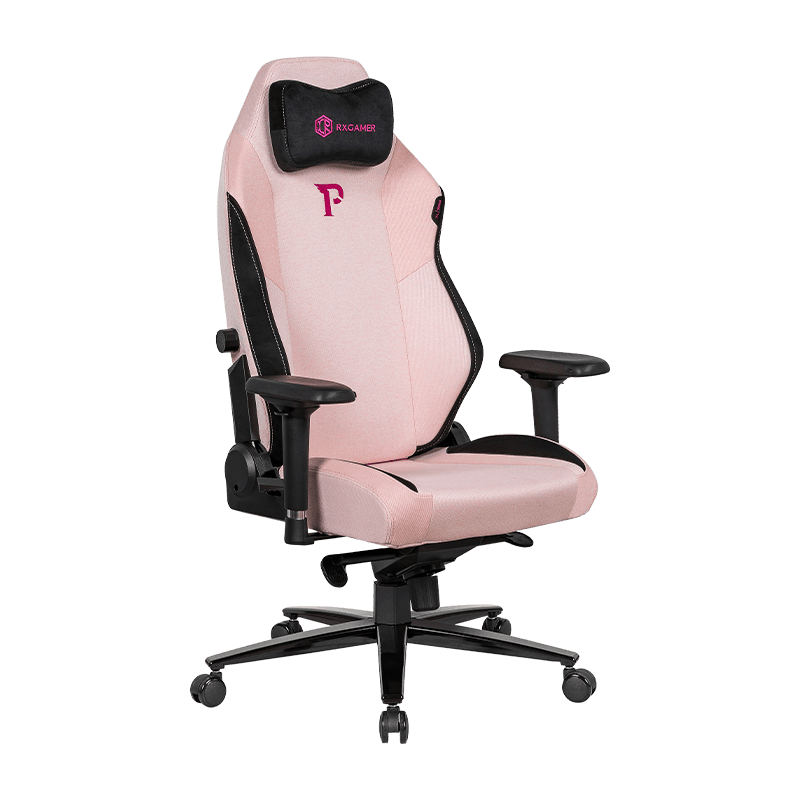
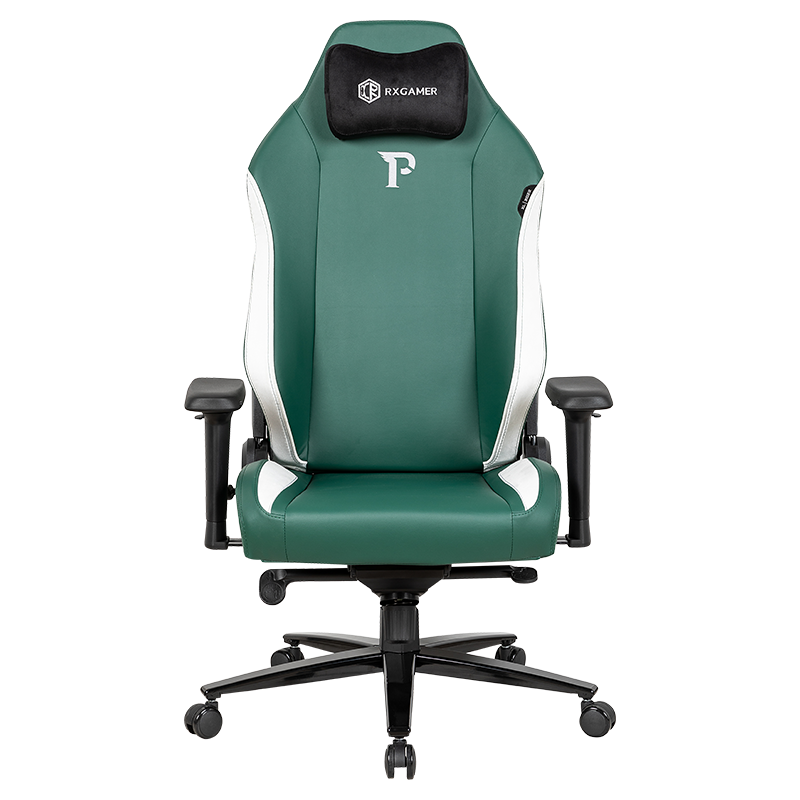
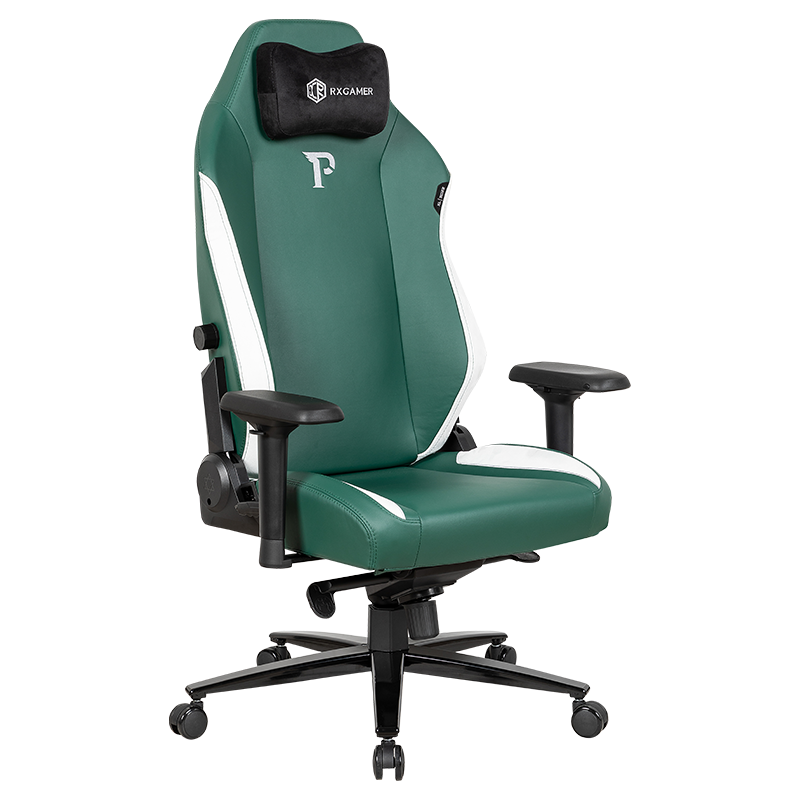
The foundation of any adjustable office chair begins with proper height adjustment capabilities. A pneumatic gas cylinder, commonly referred to as a gas lift, enables smooth vertical movement without excessive force. Quality gas lifts allow for fine-tuned positioning that accommodates users of varying heights and desk configurations. Premium options like the RX-8043-1 feature advanced gas lift systems that provide exceptional stability and longevity.
Gas Lift Classification and Performance
Gas cylinders are rated by classification standards that determine their load capacity and durability. A standard three-stage sprayed gas lift provides reliable performance for general office use. The mechanism should allow adjustment throughout a range that positions your feet flat on the floor while maintaining ninety-degree angles at your knees and elbows. This positioning reduces strain on the lumbar spine and distributes body weight evenly across the seating surface.
Key Gas Lift Benefits
- Smooth vertical adjustment without jerky movements
- Consistent performance across varying load weights
- Long operational lifespan with minimal maintenance
- Safety-rated mechanisms prevent sudden drops
Synchronization with Desk Height
Your chair height must coordinate seamlessly with your desk surface. The ideal setup positions your forearms parallel to the ground when your hands rest on the keyboard. If your chair sits too high, your feet dangle and pressure concentrates on your thigh area. Conversely, a chair that sits too low forces you to reach upward, straining your shoulders and neck. Adjustable height mechanisms grant you the flexibility to accommodate different desk heights and personal positioning preferences throughout your workday.
Exploring Tilt Adjustment and Recline Functions
Beyond vertical adjustment, the ability to modify the backrest angle significantly enhances comfort and accommodates different work activities. Tilt functionality addresses the reality that office work involves varied tasks, from focused typing to collaborative discussion to momentary rest periods.
Three-Position Tilt Mechanism Explained
Position One: Upright
Maintains vertical alignment suited for active typing and detailed work requiring focus and precision. Ideal for data entry and concentrated analytical tasks.
Position Two: Moderate Recline
Introduces ten to fifteen degrees of recline, ideal for reading documents, attending virtual meetings, or engaging in phone conversations.
Position Three: Maximum Recline
Provides maximum recline, allowing you to shift your weight backward during moments of reflection, brief breaks, or collaborative discussions.
This multi-stage approach eliminates the need for constant minute adjustments and provides distinct, comfortable positions tailored to specific work modes.
Tension Control and Movement Resistance
The tension adjustment mechanism controls how easily the backrest tilts. This feature prevents unintended recline from your body weight while ensuring smooth, controlled movement when you actively adjust the angle. Proper tension settings accommodate different body weights and personal preferences without requiring excessive force to recline or return to an upright position.
Tray Handle Extension for Precise Control
A well-designed tilt handle positioned at an accessible location on the seat enables intuitive adjustment. Some systems incorporate handle extensions that provide additional leverage, making adjustment effortless even for users who prefer firmer tension settings. A three-centimeter extended handle provides optimal ergonomic positioning, reducing the hand force required for adjustment operations.
Evaluating Backrest Design and Support
The backrest represents a critical component for spinal health and comfort during extended sitting periods. Different designs address varying support requirements and personal preferences.
Contoured Backrest Architecture
Contoured backrests feature curves that correspond to your spine's natural shape. These designs provide targeted lumbar support that maintains the spine's natural lordotic curve, the gentle forward bend in your lower back. When the backrest curves align properly with your spinal structure, the pressure distributes evenly across your back rather than concentrating on specific pressure points. This distinction becomes increasingly important during eight-hour work sessions where sustained pressure can lead to discomfort and muscle fatigue.
Quality lumbar support systems maintain spinal alignment by supporting the natural inward curve of your lower back, reducing disc pressure and preventing the fatigue that develops from unsupported sitting.
Adjustable Backrest Angles
Flexible backrest adjustment allows you to customize the angle at which the backrest meets the seat pan. Some users prefer a more upright angle for focused analytical work, while others benefit from a more reclined position during collaborative or creative tasks. The ability to adjust the backrest angle independently of the seat pan adjustment provides granular control over your sitting posture.
Material Selection and Durability
High-quality materials contribute to backrest longevity and comfort. Non-laminated construction prevents material degradation and maintains structural integrity through years of regular use. Premium materials resist cracking, peeling, and color fading, ensuring your chair maintains both aesthetic appeal and functional performance through extended ownership periods.
Assessing Armrest Functionality and Design
Armrests significantly influence comfort, particularly during extended desk work and collaborative activities. Quality armrests reduce stress on shoulders, arms, and wrists while promoting proper posture.
Soft Surface Materials and Comfort
Soft surface armrests provide padding that prevents pressure points and discomfort during extended periods of forearm contact. The surface material should be comfortable enough for sustained arm rest without generating heat or moisture accumulation. Quality padding maintains its shape and comfort properties throughout the chair's lifespan rather than compressing or deteriorating.
Three-Hole Mounting System
A three-hole mounting configuration provides stability and adjustability for armrest positioning. This system allows for precise height and depth customization, enabling you to position armrests that support your forearms at approximately the same height as your desk surface. Proper armrest positioning reduces the reaching distance required for mouse and keyboard use, minimizing strain on shoulders and upper arms.
Armrest Positioning Benefits
- Reduces shoulder and neck tension during extended work
- Improves keyboard and mouse ergonomics
- Supports forearm weight distribution
- Enhances overall sitting comfort and stability
- Accommodates multiple user postures and preferences
Armrest Height Coordination
When your forearms rest on the armrests with your hands on the keyboard and mouse, your elbows should bend at approximately ninety degrees. This positioning prevents shoulder elevation and the associated neck tension that results from improper armrest height. Adjustable armrests accommodate different torso lengths and seated postures, providing individualized support for diverse users.
Examining Base Construction and Stability
A stable base provides the foundation for safe, reliable chair performance. Base construction directly influences overall stability, mobility, and long-term durability.
High-Grade Nylon Material Properties
High-grade nylon bases offer superior durability compared to lower-quality materials. Nylon resists cracking, warping, and discoloration while maintaining structural integrity through thousands of rolling cycles. Class A nylon classification indicates premium material quality that meets rigorous performance standards. This material selection ensures your chair base remains stable and visually appealing throughout years of regular workplace use.
Five-Point Base Design Advantages
A five-point base configuration distributes your body weight across a wider surface area compared to alternative base designs. This distribution enhances stability during dynamic movements, including swiveling, leaning, and adjusting your position. The wider stance also reduces the risk of tipping during transitions between sitting and standing positions, particularly important in shared workspace environments.
Caster Wheel Specifications
Quality caster wheels enable smooth movement across various floor surfaces while maintaining your chair's position when stationary. The wheel material, diameter, and bearing quality influence how easily you can move your chair and how effectively you can maintain a fixed position when focused on detailed work. Premium caster wheels roll smoothly without jamming while providing sufficient resistance to prevent unintended chair movement.
Considering Seat Pan Configuration
The seat pan forms the foundation of your seating experience, directly contacting your lower body and distributing your body weight across the seat structure.
Depth and Width Optimization
Proper seat pan dimensions accommodate different body types while promoting healthy sitting posture. A seat depth that allows approximately two to three inches of clearance between the front edge and the back of your knees prevents pressure on your thigh circulation. Adequate width ensures comfortable hip positioning without feeling confined or unsupported.
Density and Firmness Considerations
Seat padding density directly influences comfort during extended sitting periods. Overly soft padding compresses quickly, reducing support and allowing you to sink into uncomfortable positions. Conversely, excessively firm seating creates pressure points that generate discomfort during longer work sessions. Optimal padding density provides initial comfort while maintaining structural support throughout your workday.
Waterfall Edge Design
A waterfall edge, also called a curved front edge, prevents pressure concentration on the thighs and improves circulation in your lower legs. This design detail promotes blood flow while reducing the nerve compression that can occur with sharp or flat seat front edges, contributing to overall leg comfort during extended sitting periods.
Understanding Material Quality and Construction
The materials selected for your office chair directly influence its comfort, durability, and maintenance requirements. Understanding material classifications helps you make informed decisions about long-term value. When evaluating options from RXGAMER and other manufacturers, pay attention to material certifications and construction methods.
Classification Systems and Standards
Material classifications indicate quality levels based on performance testing and manufacturing standards. Class A materials meet premium standards for durability, appearance, and functional performance. These materials withstand regular use, exposure to direct sunlight, and cleaning procedures without significant degradation. Investing in Class A materials ensures your chair maintains its appearance and functionality throughout several years of regular workplace use.
Material Classification Hierarchy
Non-Laminated Construction Benefits
Non-laminated surfaces resist peeling, cracking, and separation that can occur with laminated materials over time. This construction method creates more durable surfaces that maintain their integrity and appearance through extended use, frequent adjustments, and regular cleaning. The improved durability extends your chair's functional lifespan and reduces the need for repairs or replacement.
Implementing Ergonomic Principles in Your Selection
Ergonomics represents the science of designing products and environments to fit human capabilities and limitations. Applying ergonomic principles to your chair selection ensures your workspace supports healthy posture and minimizes physical strain.
Lumbar Support Importance
Your lumbar spine, the lower back region, bears significant load during sitting. Proper lumbar support maintains the natural curve of your spine, distributing pressure evenly across vertebral structures rather than concentrating stress on specific discs or nerve pathways. Chairs that provide inadequate lumbar support force your muscles to compensate, leading to fatigue, discomfort, and potential long-term spinal issues.
Weight Distribution and Pressure Mapping
Quality office chairs distribute your body weight across multiple contact surfaces rather than concentrating pressure on specific areas. This distribution reduces the risk of pressure ulcers in susceptible individuals and minimizes the localized discomfort that develops during extended sitting. Armrests, seat pans, and backrests all contribute to overall pressure distribution and comfort.
Movement and Repositioning Capability
The ability to adjust your position throughout the workday prevents muscle fatigue and circulation issues that result from sustained static postures. Tilt adjustment, height modification, and armrest positioning all enable postural variation that reduces strain on specific muscle groups and promotes continuous circulation in your lower extremities.
Matching Chair Features to Your Work Style
Different professional roles and work environments benefit from different chair configurations. Evaluating your specific work patterns helps identify the most suitable adjustment options.
High-Mobility Roles
If your work involves frequent transitions between sitting and standing, or regular movement throughout your office space, prioritize smooth caster wheels and a base design that supports quick transitions. The ability to move your chair effortlessly enables dynamic work patterns without the friction that comes with rolling resistance or wheel jamming.
Focused Analytical Work
Tasks requiring extended periods of focused attention benefit from chairs offering robust lumbar support and stable positioning. Prioritize quality seat pan construction, contoured backrests, and mechanisms that lock your chair in position when you need to maintain consistent posture during intensive analytical or creative work.
Collaborative and Interactive Work
Roles involving frequent meetings, presentations, and interactive collaboration benefit from chairs offering smooth recline functions and adjustable heights that accommodate different discussion positions. The ability to shift between upright and reclined positions supports the varied postural demands of dynamic workplace interaction.
Extended Duration Sitting
If your role involves nine-plus hours of daily sitting, prioritize premium padding density, advanced lumbar support, and multi-position tilt mechanisms. These features minimize accumulated physical strain and reduce the long-term health impacts associated with extended sedentary work.
Quick Reference: Essential Adjustment Features
| Feature | Function | Importance Level |
|---|---|---|
| Height Adjustment | Positions seat for proper leg and arm angles | Essential |
| Tilt Adjustment | Adapts backrest angle for various tasks | High |
| Lumbar Support | Maintains spinal alignment and reduces strain | Essential |
| Armrest Adjustment | Positions arm support for reduced shoulder strain | High |
| Recline Tension | Controls resistance for tilting movements | Moderate |
| Seat Height Range | Accommodates different desk and user heights | Essential |
Testing and Evaluating Office Chairs Before Purchase
Selecting an office chair is a significant investment, and proper evaluation before purchase prevents costly mistakes and ensures long-term satisfaction.
Hands-On Assessment Procedures
- Sit in the chair for at least ten minutes, performing the typical movements associated with your work style
- Test all adjustment mechanisms to ensure smooth operation and appropriate resistance levels
- Verify that your feet rest flat on the floor with your seat at proper height
- Check armrest positioning relative to your desk surface and typical hand placement
- Evaluate the backrest support by leaning back and assessing lumbar contact throughout your spine
- Test the caster wheels by rolling in multiple directions on typical floor surfaces
- Assess the stability by shifting your weight and checking for wobbling or tipping sensations
Comfort Assessment During Extended Sitting
Initial comfort does not guarantee long-term satisfaction. Many uncomfortable issues only emerge after several hours of continuous sitting. If possible, arrange an extended trial period that allows you to experience the chair in your actual work environment across multiple work sessions. This approach reveals comfort issues, adjustment challenges, and functional limitations that might not become apparent during a brief showroom evaluation.
Comparative Analysis Considerations
Evaluate multiple chairs across similar price ranges to understand the features and quality levels available within your budget. Compare adjustment ranges, material quality, base construction, and warranty coverage to make informed decisions about value and longevity. Focus on objective features and functional capabilities rather than aesthetic preferences alone.
Long-Term Health Benefits of Proper Chair Selection
Investing in a quality adjustable office chair extends beyond immediate workplace comfort. The chair you select influences your health outcomes across months and years of regular use. The RX-8043-1 exemplifies how advanced ergonomic features contribute to sustained health benefits.
Spinal Health Protection
Poor seating posture contributes to disc degeneration, nerve compression, and chronic back pain that extends beyond your work environment. Quality chairs that maintain proper spinal alignment distribute stress evenly across vertebral structures, reducing the cumulative damage that develops from years of inadequate support. The preventive health benefits of proper chair selection often justify the premium investment compared to lower-quality alternatives.
Circulation and Metabolic Support
Proper seat design that avoids pressure concentration promotes blood circulation in your legs and lower back. This circulatory support prevents the numbness, tingling, and swelling that result from prolonged pressure on blood vessels and nerves. Enhanced circulation also supports metabolic function and reduces the fatigue that develops during extended sitting sessions.
Postural Muscle Development
Chairs offering proper support enable your postural muscles to function naturally rather than compensating for inadequate structural support. This muscle engagement prevents the weakness and dysfunction that develop when support systems do the work that your muscles should perform. Maintaining strong postural muscles through proper chair support contributes to spinal health throughout your entire life.
Balancing Budget Constraints with Quality Requirements
Office chair pricing spans a broad range, from basic models under five hundred dollars to premium executive chairs exceeding several thousand dollars. Strategic evaluation helps you identify the optimal balance between cost and functionality.
Essential Features vs. Premium Additions
Prioritize budget allocation toward essential features that directly impact comfort and health: height adjustment, quality lumbar support, durable seat construction, and reliable gas lift mechanisms. Premium additions like advanced materials, extensive color options, or luxury finishing details provide aesthetic benefits but may not significantly impact functional performance or long-term comfort.
Investment Considerations
- Immediate Cost: Initial purchase price varies significantly based on brand and features
- Durability Factor: Higher-quality chairs often provide longer functional lifespan
- Health Value: Prevention of back pain and health issues through proper ergonomics
- Productivity Gain: Comfortable seating may enhance work efficiency and output
- Warranty Protection: Extended coverage provides financial security and peace of mind
Cost-Per-Year Analysis
Calculate the cost-per-year of ownership based on anticipated lifespan. A premium chair costing two thousand dollars that lasts eight years costs two hundred fifty dollars annually. A budget chair at six hundred dollars lasting two years costs three hundred dollars annually. This analysis reveals that higher-quality chairs often provide superior long-term value despite higher initial investment. Additionally, the health benefits and productivity gains from comfortable seating may justify premium pricing when considering your overall well-being.
Warranty Coverage and Support
Warranty coverage indicates manufacturer confidence in product quality and provides financial protection for defective components. Extended warranties that cover mechanisms, structural components, and upholstery offer valuable protection, particularly for higher-priced investments. Review warranty terms carefully to understand coverage limitations and exclusions.
Frequently Asked Questions
Q1: How do I know if my office chair height is correct?
Correct chair height positions your feet flat on the floor with your knees bent at approximately ninety degrees. Your forearms should align parallel to the floor when your hands rest on your keyboard and mouse. If your feet dangle or you need to reach upward to access your workspace, your chair height requires adjustment. Consider adjusting your chair height whenever you change desks or keyboard position.
Q2: What is the difference between tilt-lock and continuous tilt mechanisms?
Tilt-lock mechanisms, such as three-position systems, provide distinct fixed angles that prevent unintended movement once you select a position. Continuous tilt allows unlimited angle adjustment throughout a full range. Three-position systems offer stability and eliminate the need for constant micro-adjustments, while continuous tilt provides maximum customization for users with specific angle preferences.
Q3: How often should I adjust my office chair during the workday?
Adjusting your chair position multiple times throughout your workday provides significant benefits. Change your chair angle every hour or two to vary the muscles you engage and the pressure points you use. This positional variation prevents localized fatigue and circulation issues that develop from sustained static postures. Consider setting hourly reminders to shift your position until the habit becomes automatic.
Q4: Can an expensive office chair eliminate all back pain?
While quality chair design significantly reduces back strain and associated discomfort, a chair alone cannot eliminate all back pain. Back health results from multiple factors including regular movement, stretching, proper desk ergonomics, and overall fitness. A quality adjustable chair provides the foundation for spinal health, but you must combine it with movement, exercise, and proper posture throughout your day.
Q5: How do I maintain my office chair to ensure long-term durability?
Regular maintenance extends your chair's functional lifespan. Clean surfaces periodically with appropriate materials to prevent material degradation. Check all adjustment mechanisms regularly to ensure smooth operation. Avoid placing excessive weight on armrests or leaning back aggressively on the chair base. When you experience any unusual sounds, resistance, or malfunction, address the issue promptly to prevent compound damage.
Q6: What is the typical lifespan of a quality office chair?
Quality office chairs typically remain functional for five to eight years with regular use in standard office environments. Premium chairs with superior materials and construction may extend to ten or more years. Lifespan varies based on usage intensity, maintenance practices, and environmental factors like humidity and temperature stability. Chairs used in intense multi-shift environments may require earlier replacement than chairs used in standard office settings.
Q7: How should I position my office chair relative to my monitor and desk?
Position your monitor at arm's length distance from your seated position, with the top of the screen at or slightly below eye level. Your desk should allow your forearms to rest parallel to the ground when your hands are on the keyboard. Adjust your chair height to create these desk and monitor alignments rather than adjusting your desk to accommodate an improperly positioned chair.
Q8: Are mesh backrests better than padded backrests for comfort and support?
Both mesh and padded backrests offer distinct advantages depending on your preferences and environment. Mesh backrests promote air circulation and prevent heat buildup during warm weather, benefiting users who tend to sweat or work in warm environments. Padded backrests provide more direct pressure distribution and may feel more supportive for users preferring firmer back contact. Your choice should align with your climate, personal comfort preferences, and workplace temperature control.
Q9: What role do caster wheels play in overall chair performance?
Quality caster wheels enable smooth movement across your workspace while maintaining stability when you need a fixed position. Wheels that roll too easily create difficulty maintaining a stable work position, while stiff wheels generate resistance that requires excessive effort for repositioning. Optimal caster wheel performance balances smooth rolling with appropriate resistance for your specific flooring type and work style.
Q10: Should I prioritize adjustability over initial comfort when selecting an office chair?
Both adjustability and initial comfort matter significantly. A highly adjustable chair that feels uncomfortable during initial sitting suggests poor design or inadequate padding rather than a promising foundation. Conversely, a chair that feels immediately comfortable but offers minimal adjustment may prove inadequate as your needs change or during extended use. Select a chair that combines both immediate comfort with extensive adjustment capabilities.